Interaction design · Prototyping · UX research
Beyond Minimalism.
MSc study comparing touchscreen and physical vehicle controls.
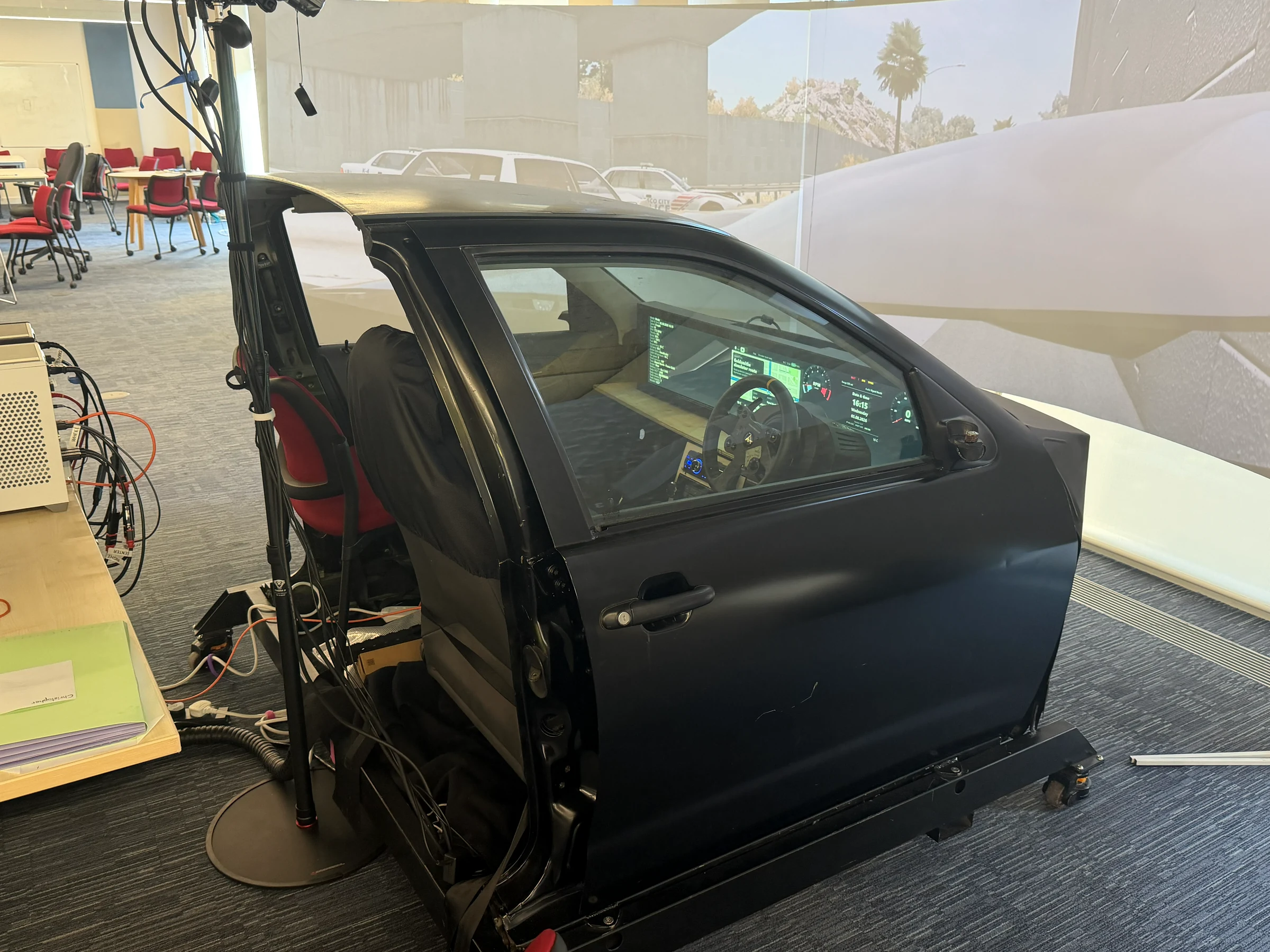
Study overview
- licensed drivers
- 22
- everyday control tasks
- 4
- conditions per participant
- 2
The four tasks
- Increase temperature
- Change fan speed
- Skip to the next track
- Activate the front demister
01 · Research aims
Research aims and my role
My dissertation compared touchscreen and physical controls for four automotive tasks: adjusting temperature, changing fan speed, skipping a track and activating the front demister. I investigated task performance, workload and reported usability, and used interviews to understand participants’ experiences.
I designed and ran the simulator study with 22 licensed drivers, specified the interfaces, led prototype development and integration, and analysed the findings. I then proposed an exploratory framework for deciding which parts of a task could use physical, touchscreen or hybrid controls.
02 · Prototype development
Developing the study interfaces
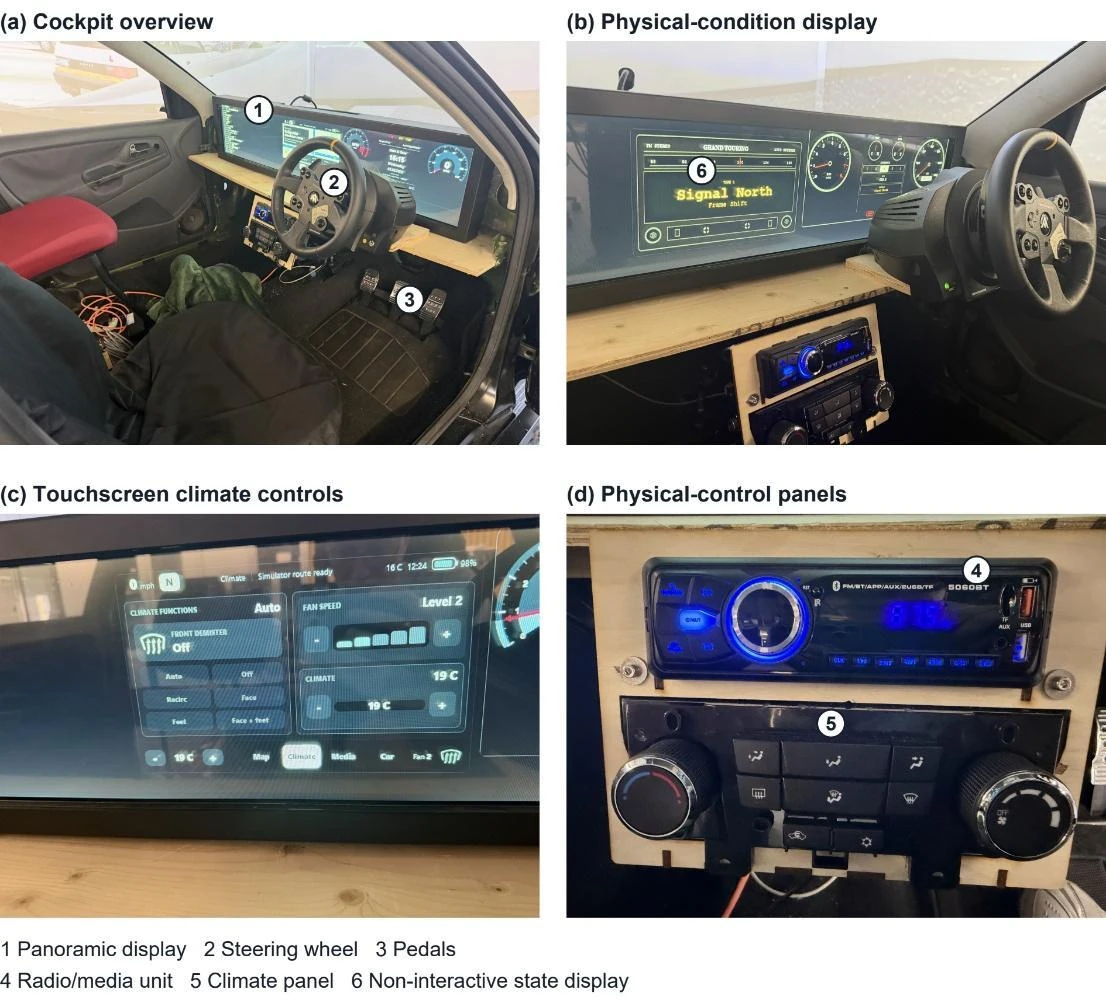
I checked the touchscreen layout from the driver’s seat on the simulator’s 1920 × 364 display. Reaching some controls required stretching, so I used cockpit photographs and specific width and position constraints to direct a more compact layout with a separate instrument area.
I specified the climate and media behaviour, selected the physical components and tested the software integration. I also found buttons that worked locally but failed in the hosted version, then directed revisions and retested them. These checks informed the prototype layout and behaviour; I did not measure an ergonomic improvement.
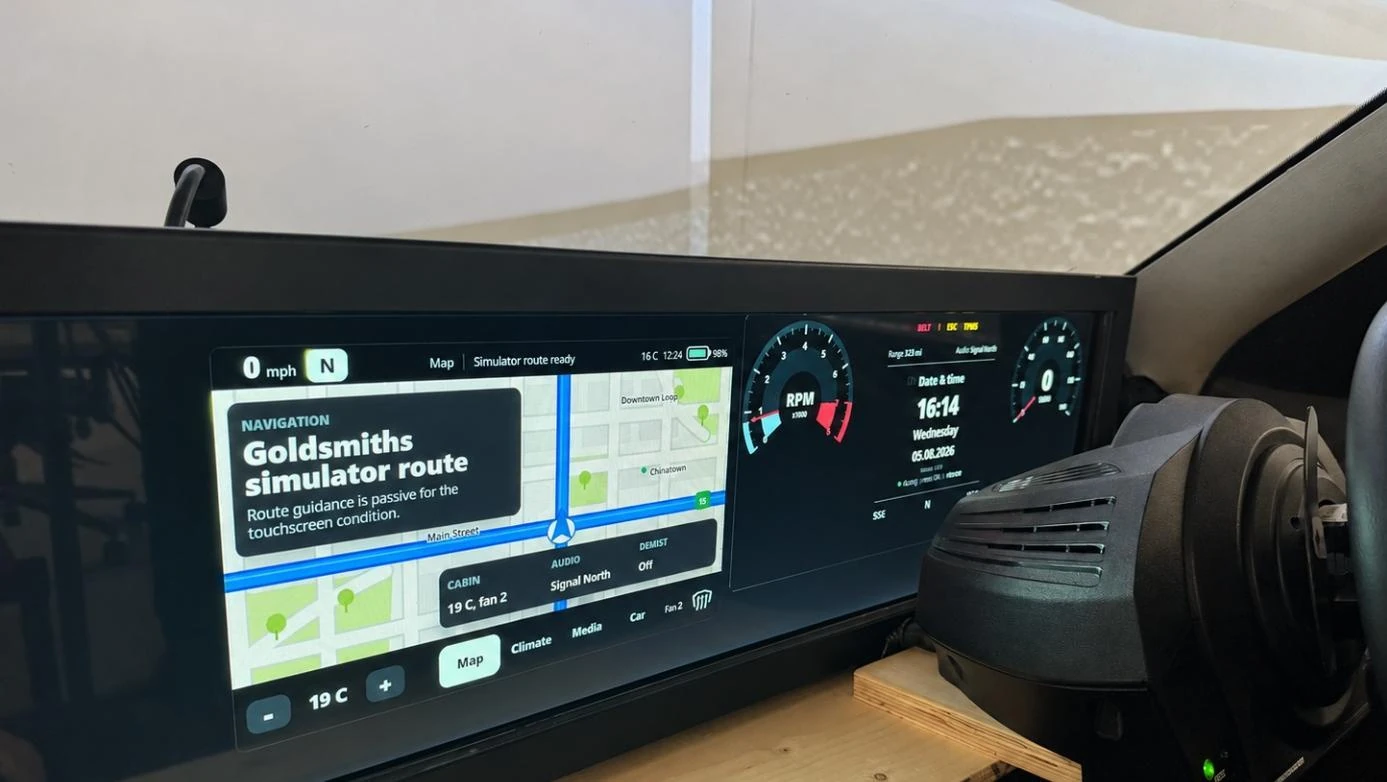
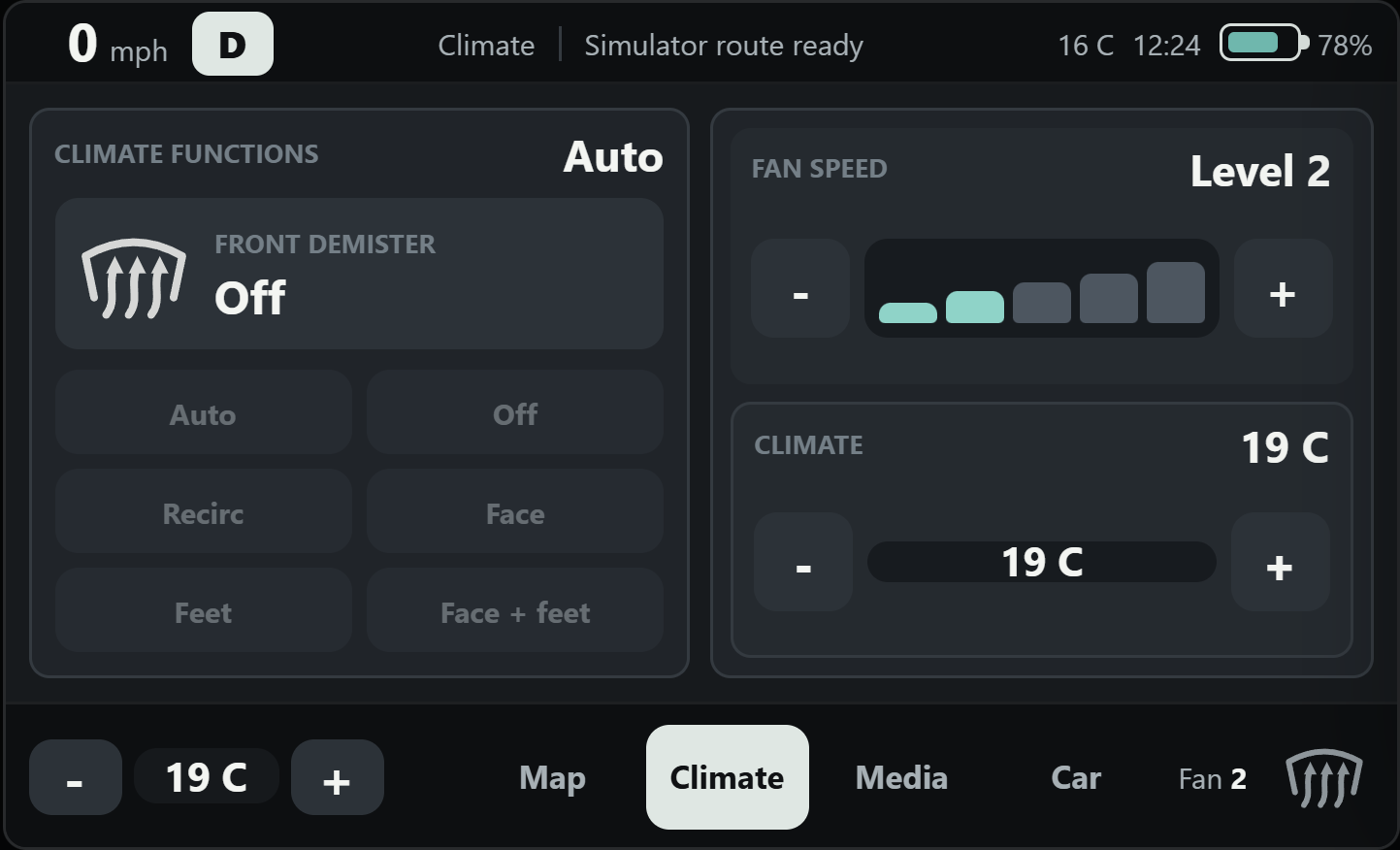
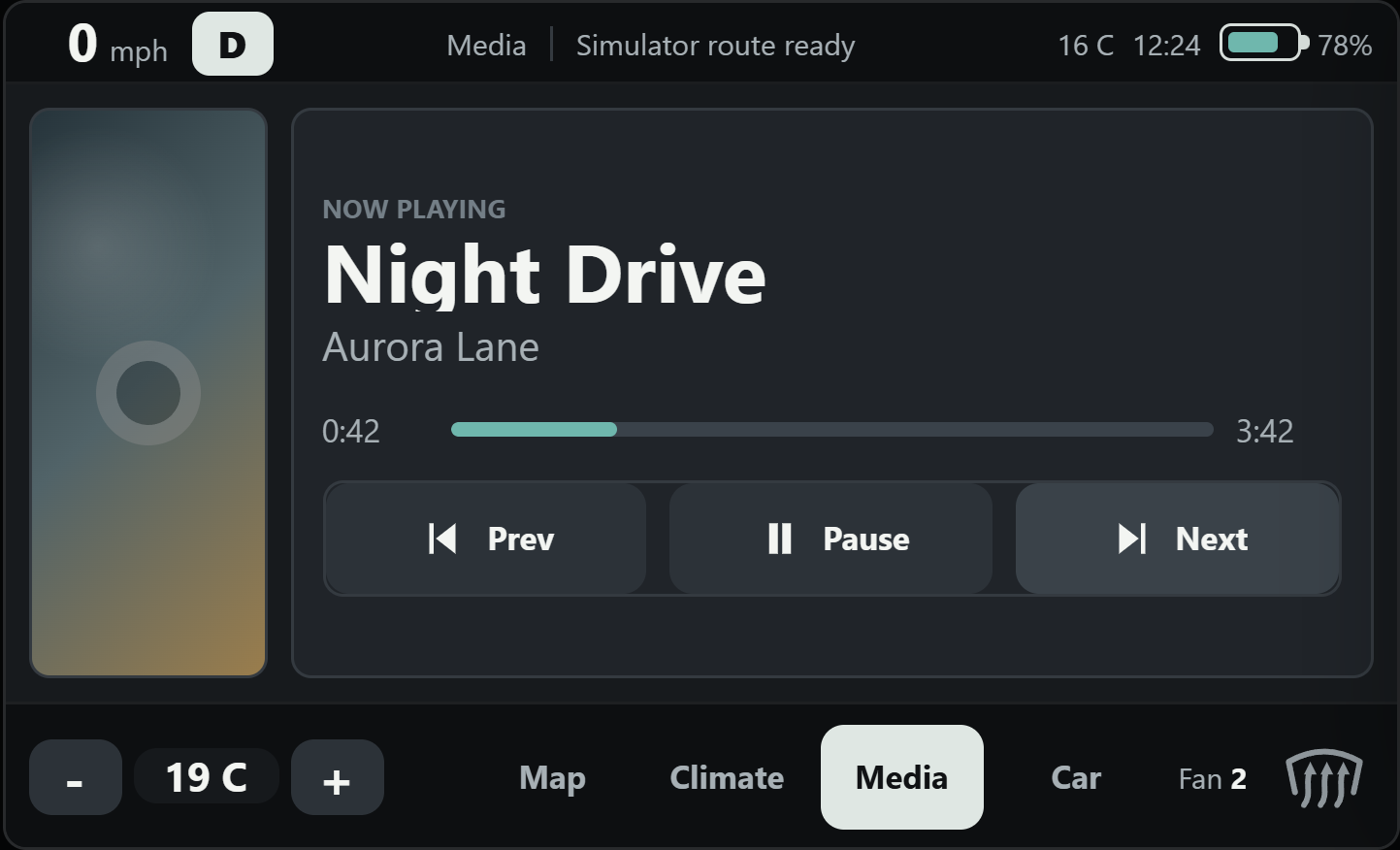
See the physical controls and system architecture (2)
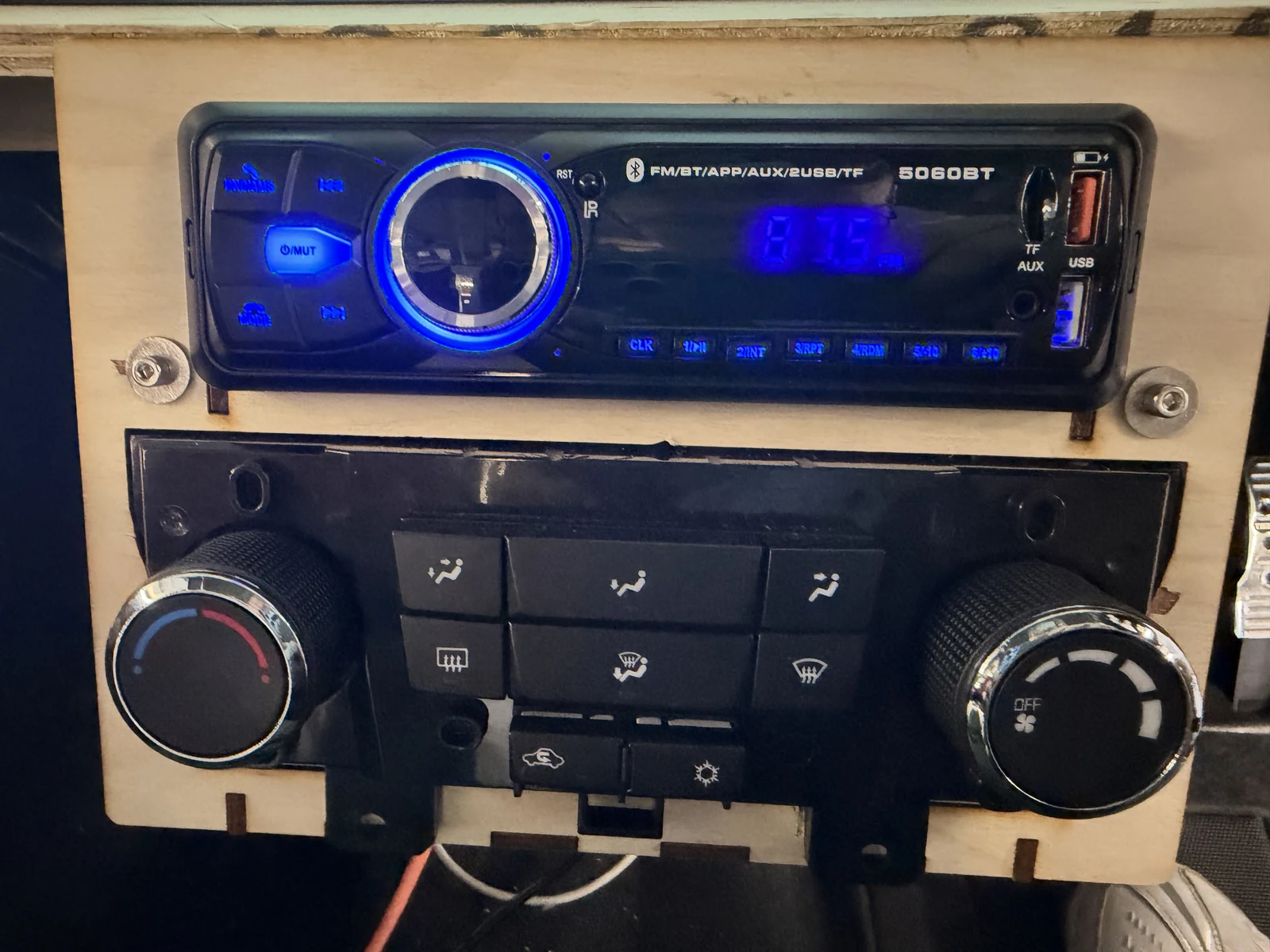
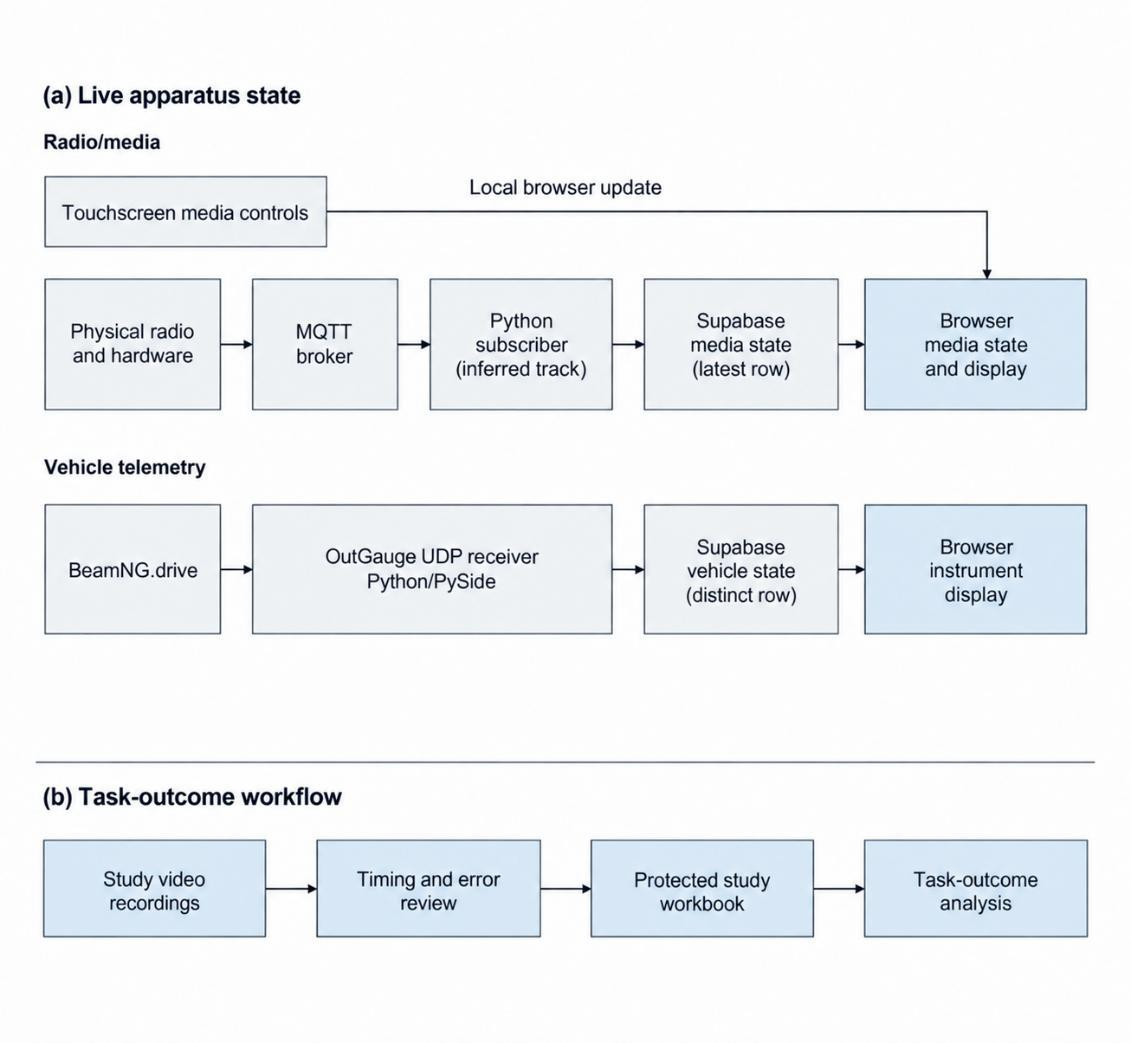
03 · Study method
Study procedure and data collection
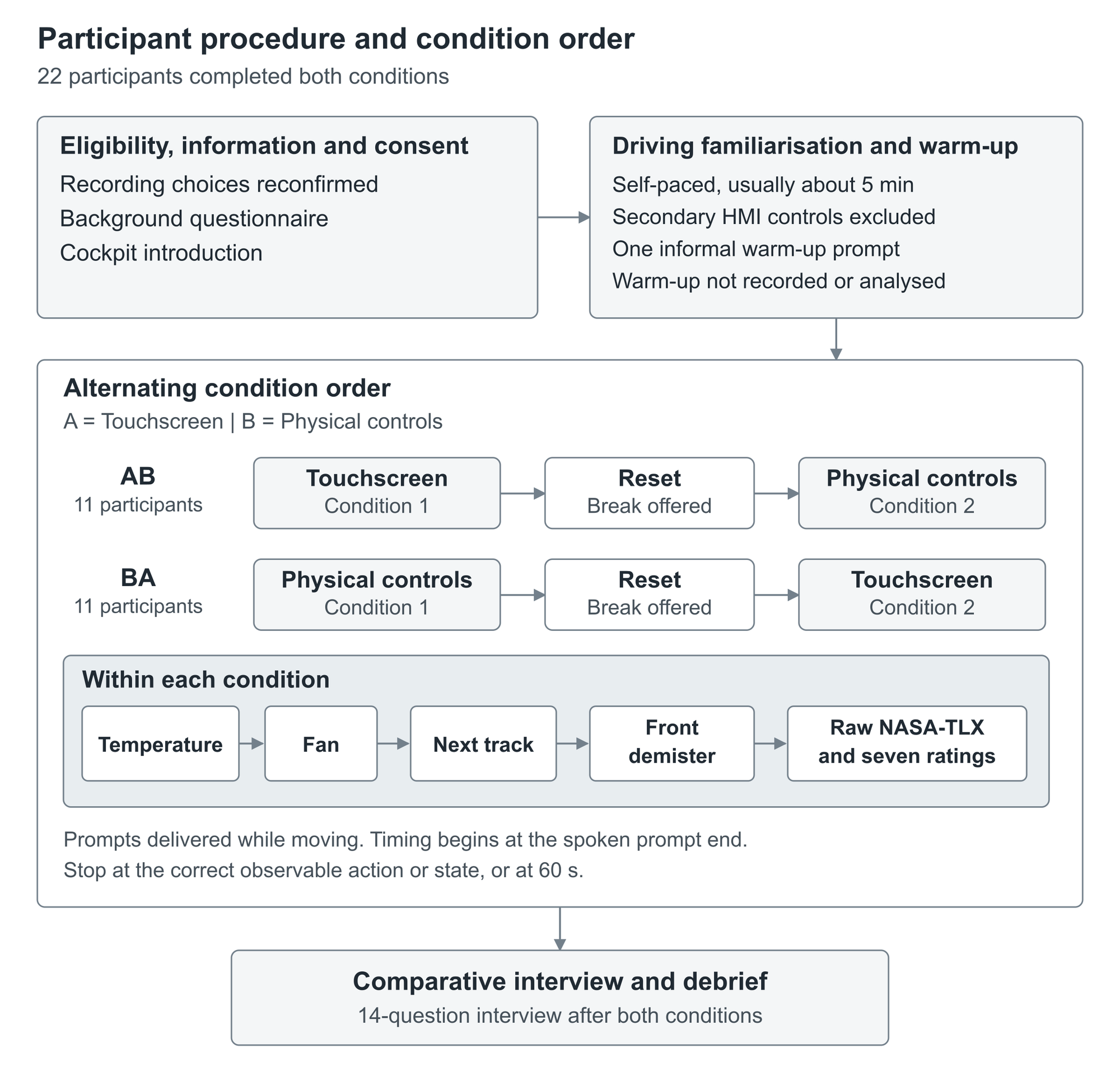
Each driver used both conditions. Eleven started with touchscreens and eleven with physical controls, using alternating condition order. Temperature, fan speed, next track and front demister followed the same fixed task sequence.
I conducted the sessions, recorded task completion, time and errors, and collected perceived-workload and usability ratings alongside comparative interviews. I checked task outcomes against the recordings and documented exclusions. An attempt to automate pilot video timing produced inaccurate results, so I rejected it and completed the timing manually.
See the session procedure (1)
The simulator supplied driving context; the controls did not operate real heating, airflow or demisting. Fixed task order and unrecorded self-paced familiarisation limit interpretation.
04 · Task results
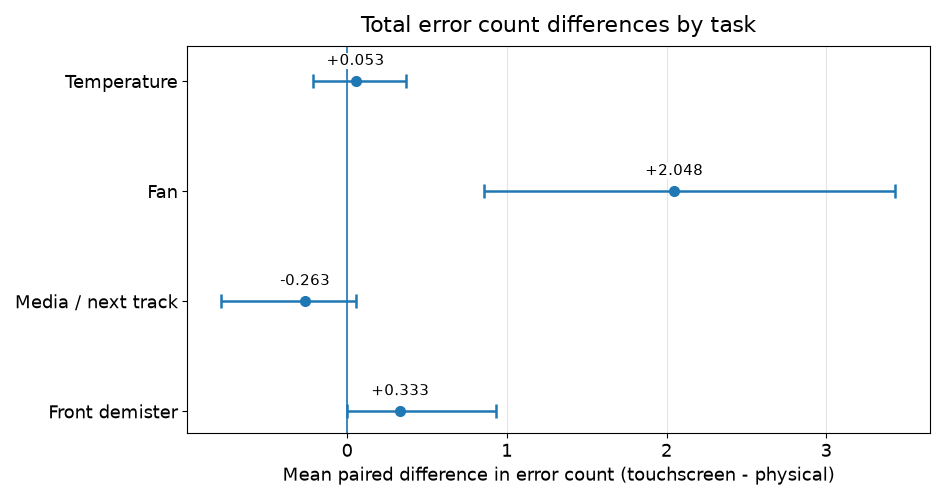
More fan-control errors in the touchscreen condition
Across 21 valid pairs, the tested touchscreen fan control produced an average of 2.05 more total errors than the physical implementation (Holm-adjusted p = .010). This was the only primary task difference that remained statistically significant after its relevant adjustment.
Other primary comparisons remained uncertain. Access depth, feedback, placement and display style differed alongside control modality, so this finding does not establish that touchscreen fan controls are always worse.
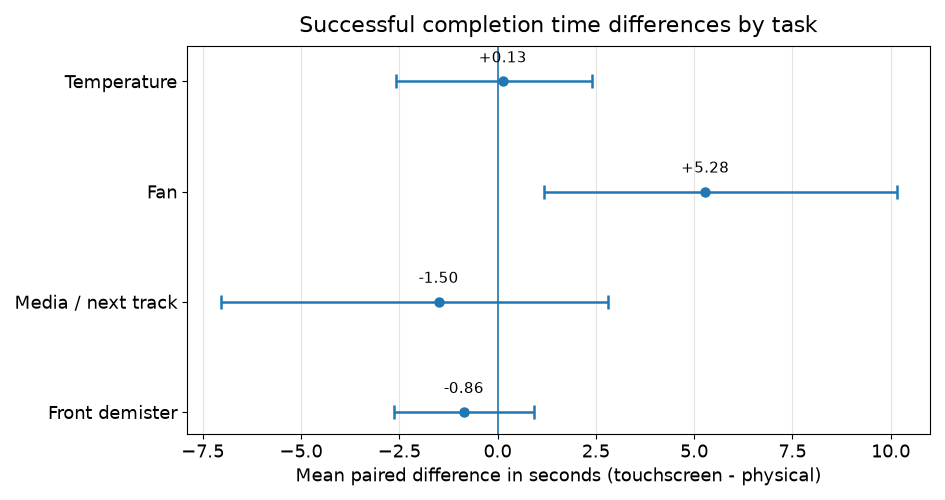
Compare the completion-time results (1)
05 · Interview findings
Interview findings and design implications
I analysed the interviews to identify explanations and countercases for the numerical results. Participants described task needs, access, how easily controls could be distinguished, first-use clarity, remembered locations and feedback. The experiment did not independently isolate these possible explanations.
- Input and value display
- Making an approximate adjustment and checking an exact value are different needs. The input and the display can be considered separately.
- Media information and track controls
- A screen can present media information, while a frequent next-track action can use a separate control.
- Action, state and outcome feedback
- Acknowledging a press, displaying the selected state and confirming what the system has done are different forms of feedback.
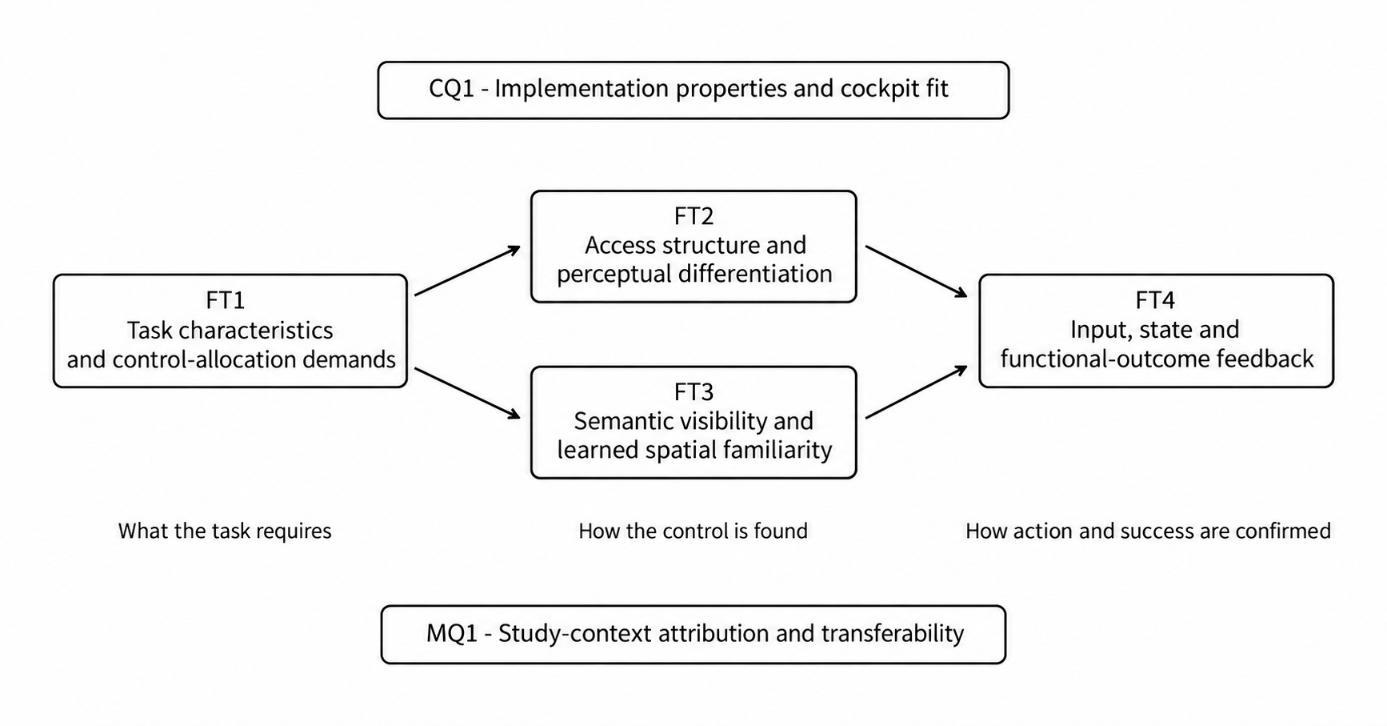
Visual demand was reported by participants. The study did not measure eye movements, lane keeping or road-safety outcomes.
06 · Design contribution
Proposed framework for allocating controls
I combined the quantitative and interview findings into a proposed task-first framework. It starts with what the driver needs to do and know, then considers input, access, display and feedback separately before selecting physical, touchscreen or hybrid controls.
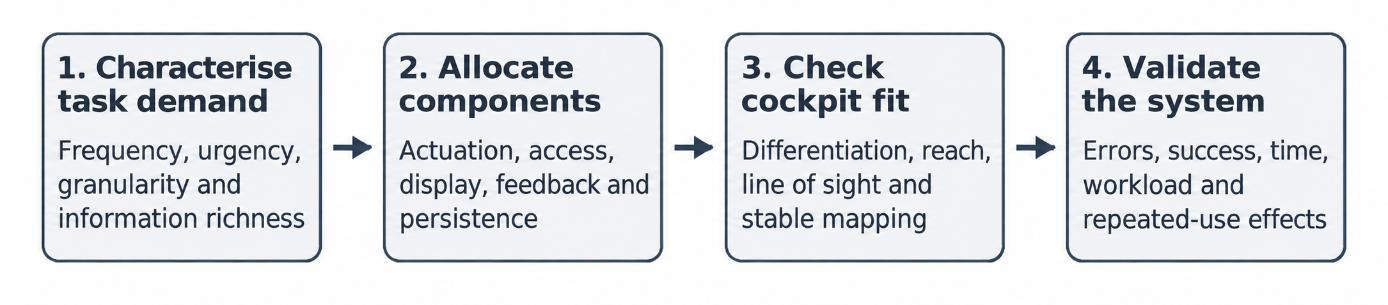
Characterise task demand
Identify frequency, urgency, precision and the information the driver needs.
Allocate components
Consider input, access, display, feedback and persistence separately.
Check cockpit fit
Examine placement, reach, differentiation, reliability and learning in context.
Validate the system
Test the complete arrangement and revise the allocation against evidence.
07 · Contribution & next steps
My contribution, support and next steps
I was responsible for the research design, recruitment, participant sessions, interaction requirements, development direction, integration, final testing and analytical decisions. The physical-control setup and live vehicle-data route were contributed to Goldsmiths, with the telemetry application left for future students to use or adapt.
Goldsmiths supplied the simulator and laboratory. Mirko Febbo supported fabrication and electronics, alongside simulator and MQTT advice. Tony Russell-Rose supervised the project; Yoram Chisik provided guidance and laboratory access.
Software development, analysis support and documentation involved substantial AI assistance. I directed and checked that work, accepting, amending or rejecting outputs. Testing in the simulator also identified issues that software checks alone had not caught.
My next study would isolate the number of steps needed to reach the fan control and how clearly controls are distinguished, then compare alternative control arrangements. I would also rehearse complete sessions earlier, test failure conditions and archive the exact tested configuration. These are proposed next steps, not completed validation.
Submitted on 15 October 2026; academic result pending. Findings come from one simulator, two research implementations and small, outcome-specific samples.