UX design · Car-rental booking
FLEET.
UX research and interface design for a car-rental booking website.
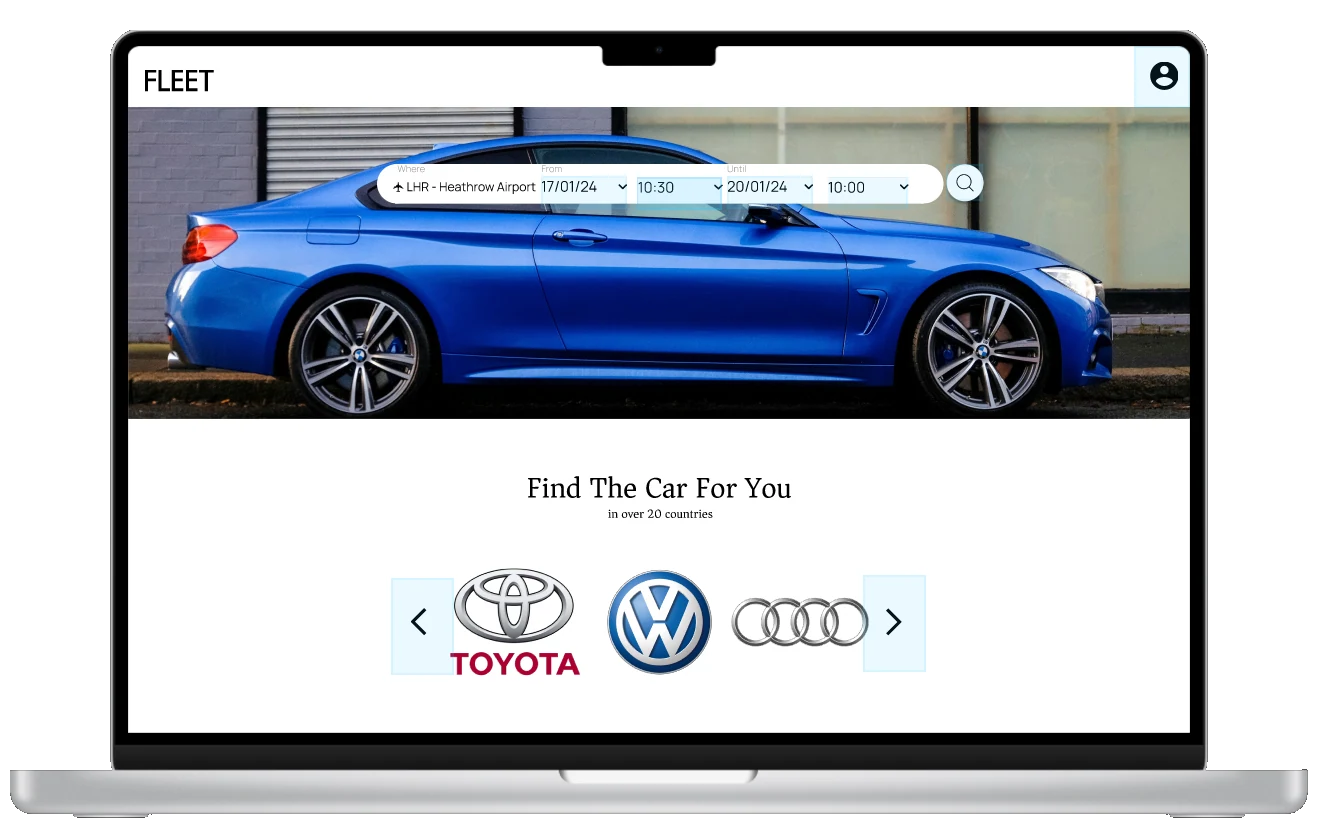
Project overview
- rental services reviewed
- 4
- moderated usability session
- 1
- course project
- 2024
01 · The brief
Project brief and my role
FLEET is a car-rental booking website concept I developed during my UX Design Institute course. I researched existing services and used the findings to develop a proposed booking flow and interface.
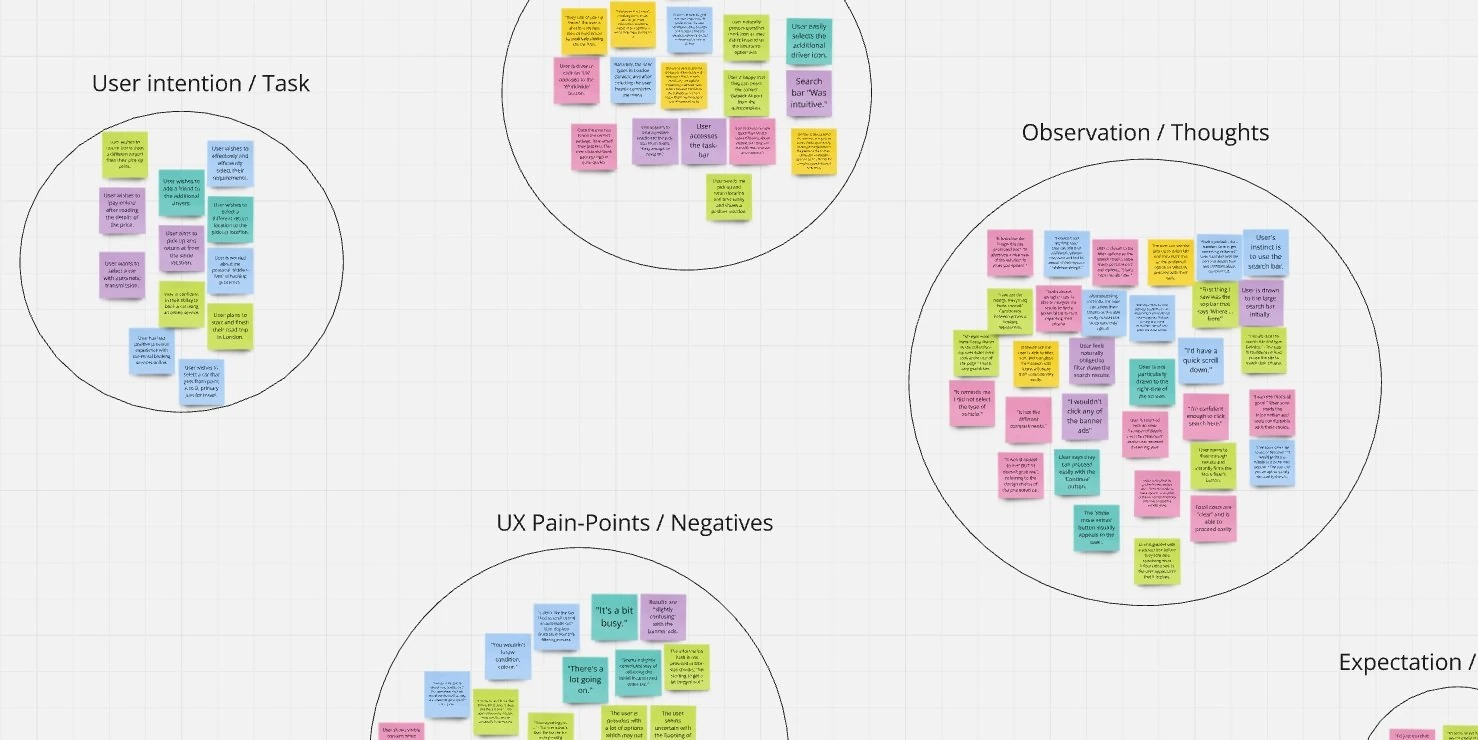
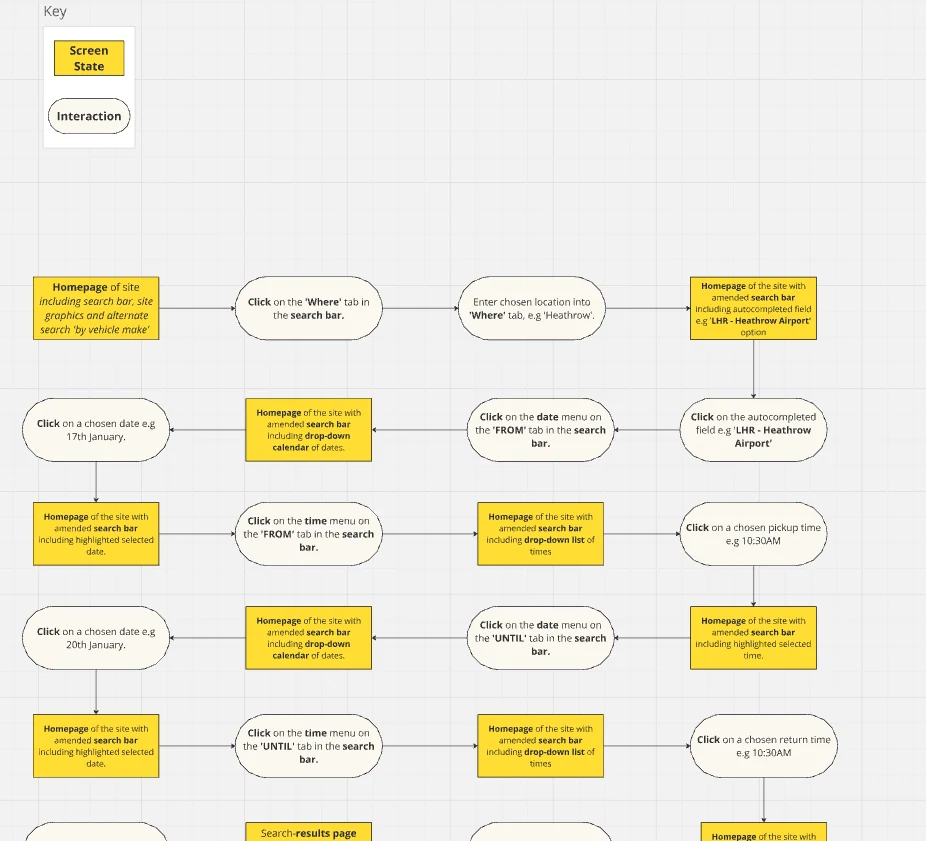
I completed competitive benchmarking, moderated a usability session, analysed the findings, and produced an affinity diagram, customer journey map, user flows, wireframes and Figma prototype.
02 · Research
Competitive benchmarking and usability testing
I benchmarked Turo, TheOut, Avis and Sunrise Auto Rentals. These covered different approaches to car rental, giving me a way to compare how services presented the booking process.
I also moderated a remote usability session on Turo. The participant worked through a rental-car booking task while describing their decisions and reactions. My notes covered their goals, behaviour, context, positive interactions and points of difficulty.
This was a small exploratory study. The session provided a detailed account of one person’s experience, rather than evidence of how all rental customers would behave.
03 · Analysis
Research findings and design priorities
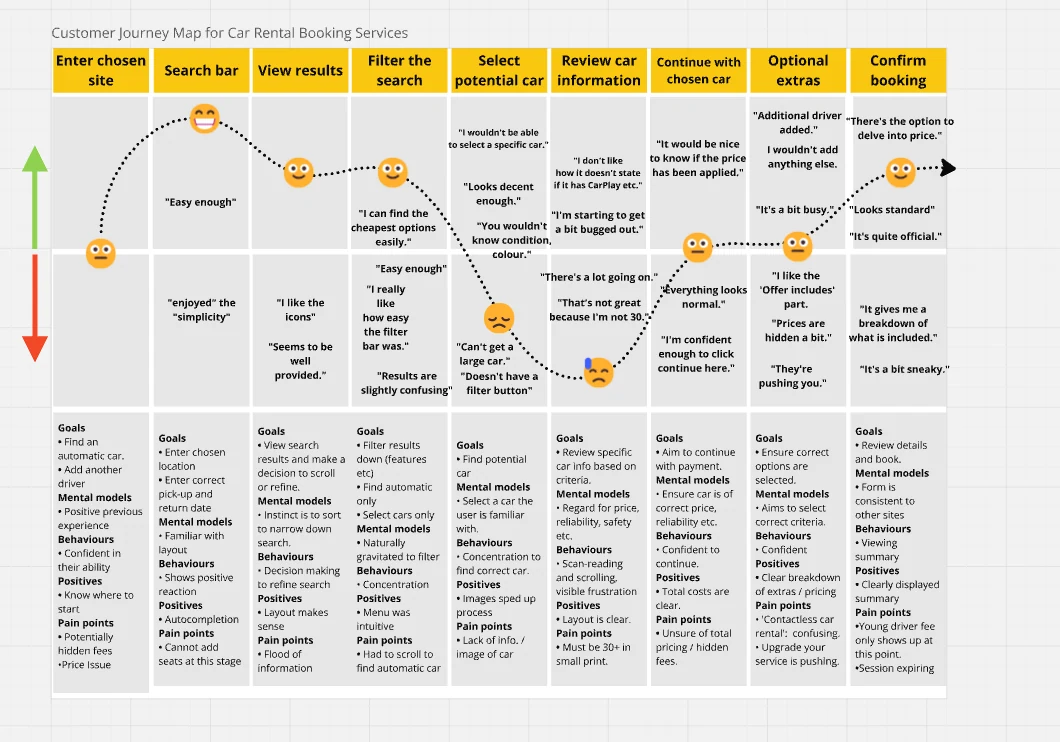
I grouped the research notes in an affinity diagram and mapped the observations to stages in the booking process. This helped me identify where the participant encountered difficulties and which parts of the existing service supported the task.
The journey map captured both useful patterns and gaps. The participant found the search and filter bar approachable, but still struggled to find a suitable car: the results felt busy, an automatic-car filter was missing, and vehicle information did not always answer their questions. Later in the journey, fees and optional extras made the final price uncertain.
Reviewing this work, I identified two priorities for further development: helping customers compare cars against their requirements, and showing the full cost before booking. I would use these criteria to evaluate the next version of the prototype.
View supporting material (1)
04 · Design
Booking flow, wireframes and prototype
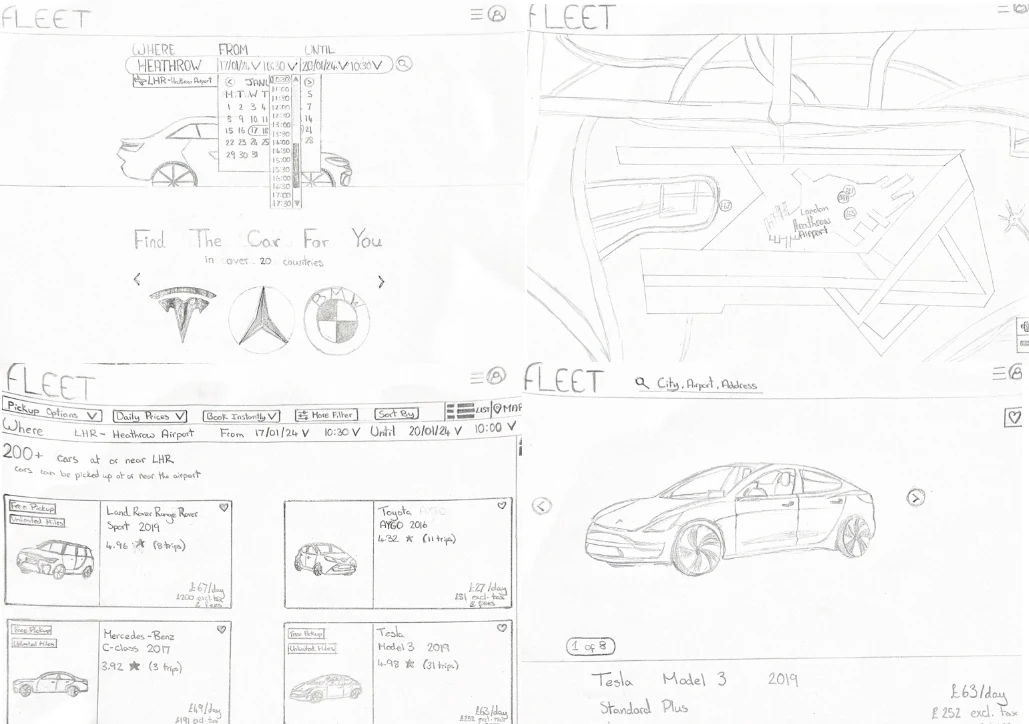
I developed a booking flow, hand-drawn sketches, annotated wireframes and a Figma prototype. The sketches explored search inputs, a results grid, a map and a vehicle-detail page before those layouts became interface screens.
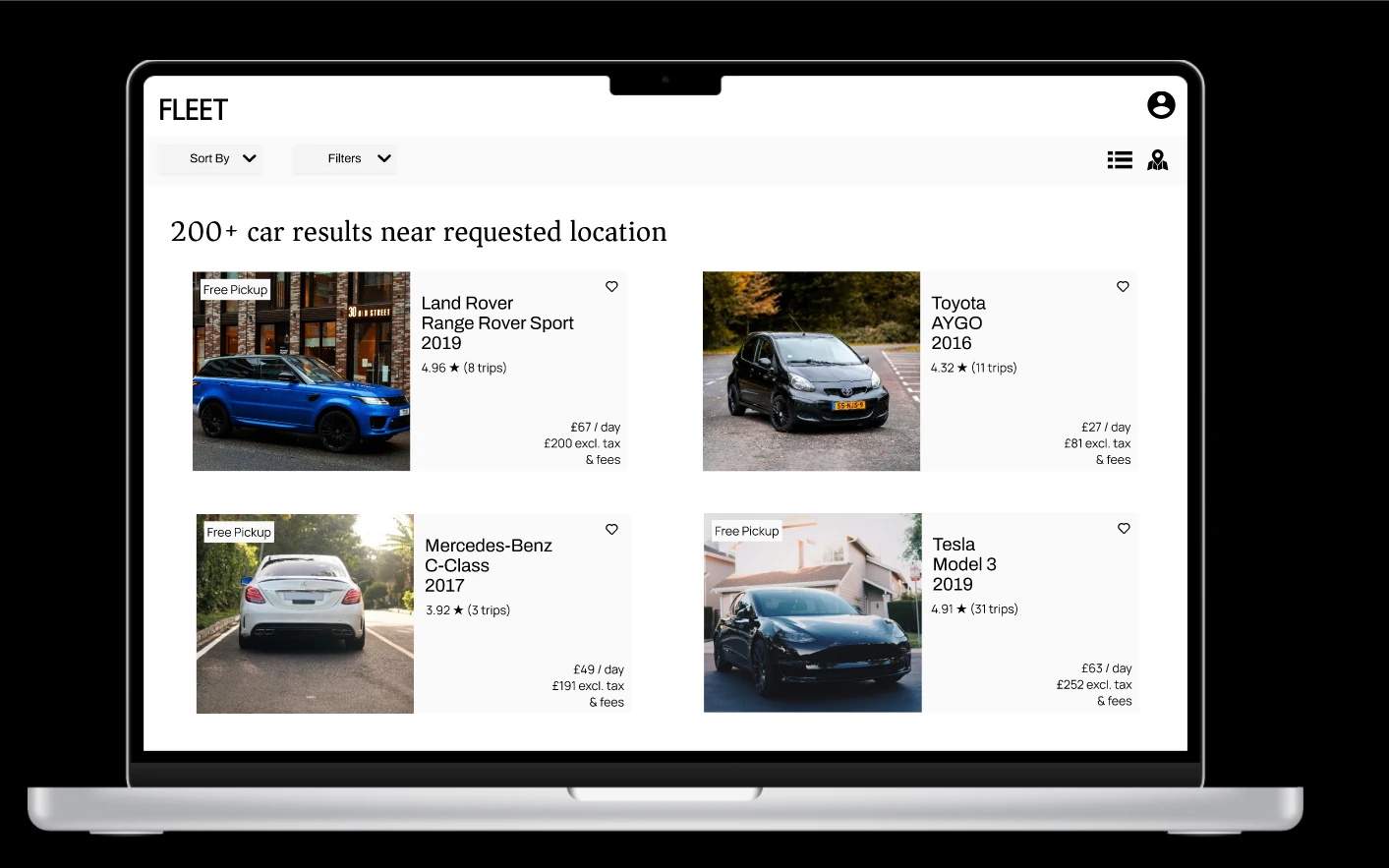
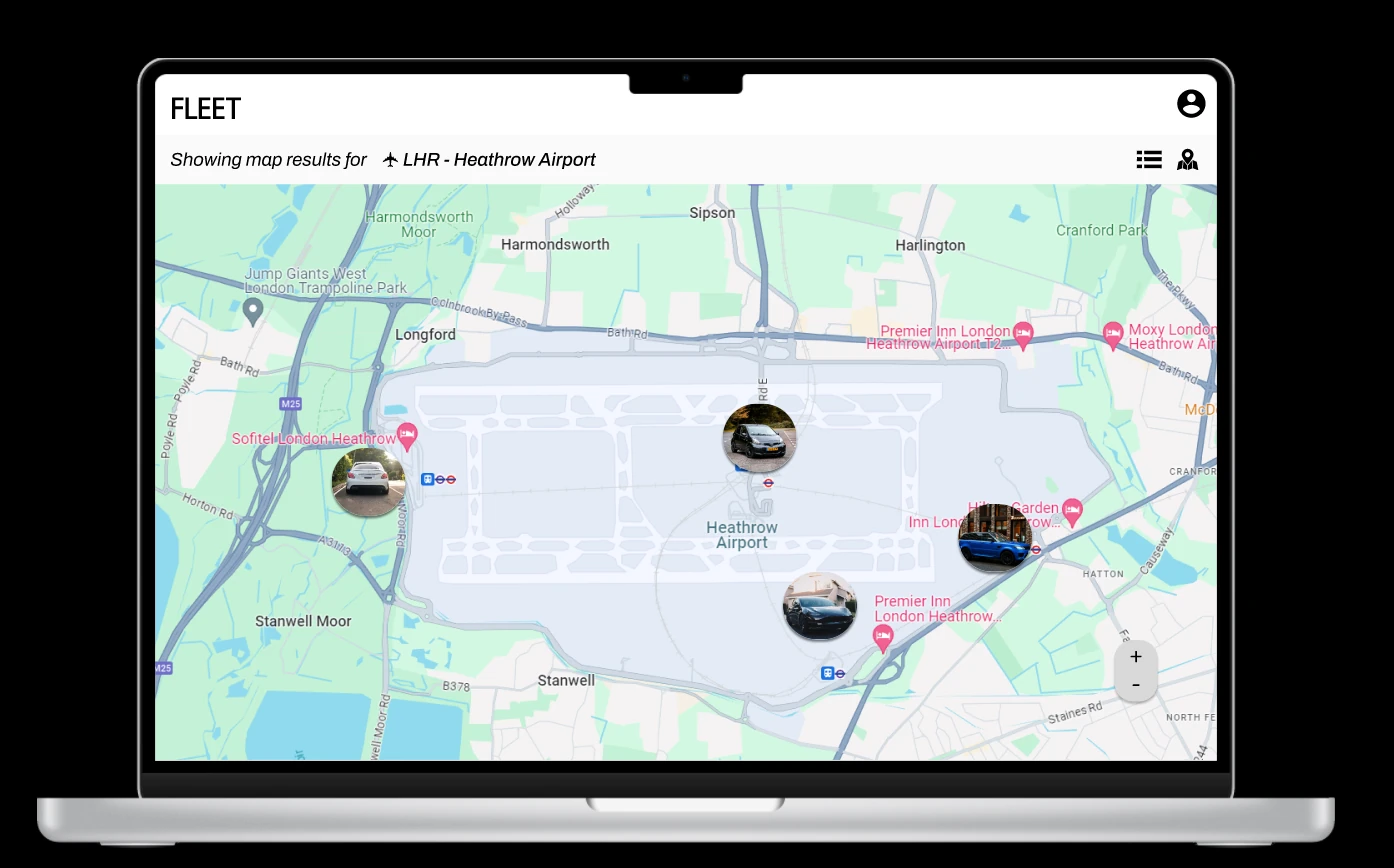
I placed sorting and filtering above the vehicle cards on the results screen. Each card shows a photo, model, year, rating and price in a consistent position. I also designed a list/map switch and a map view with vehicle images around the selected location.
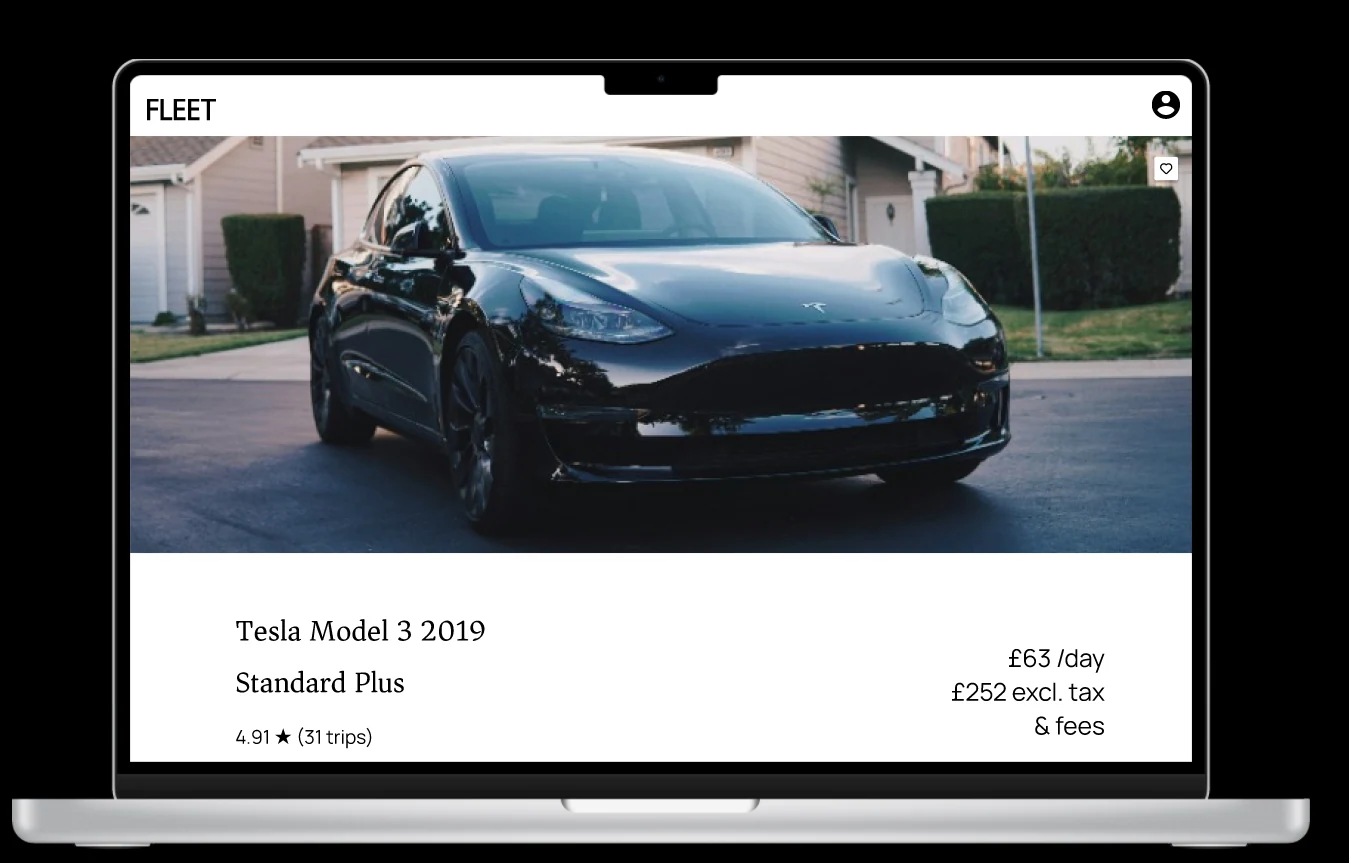
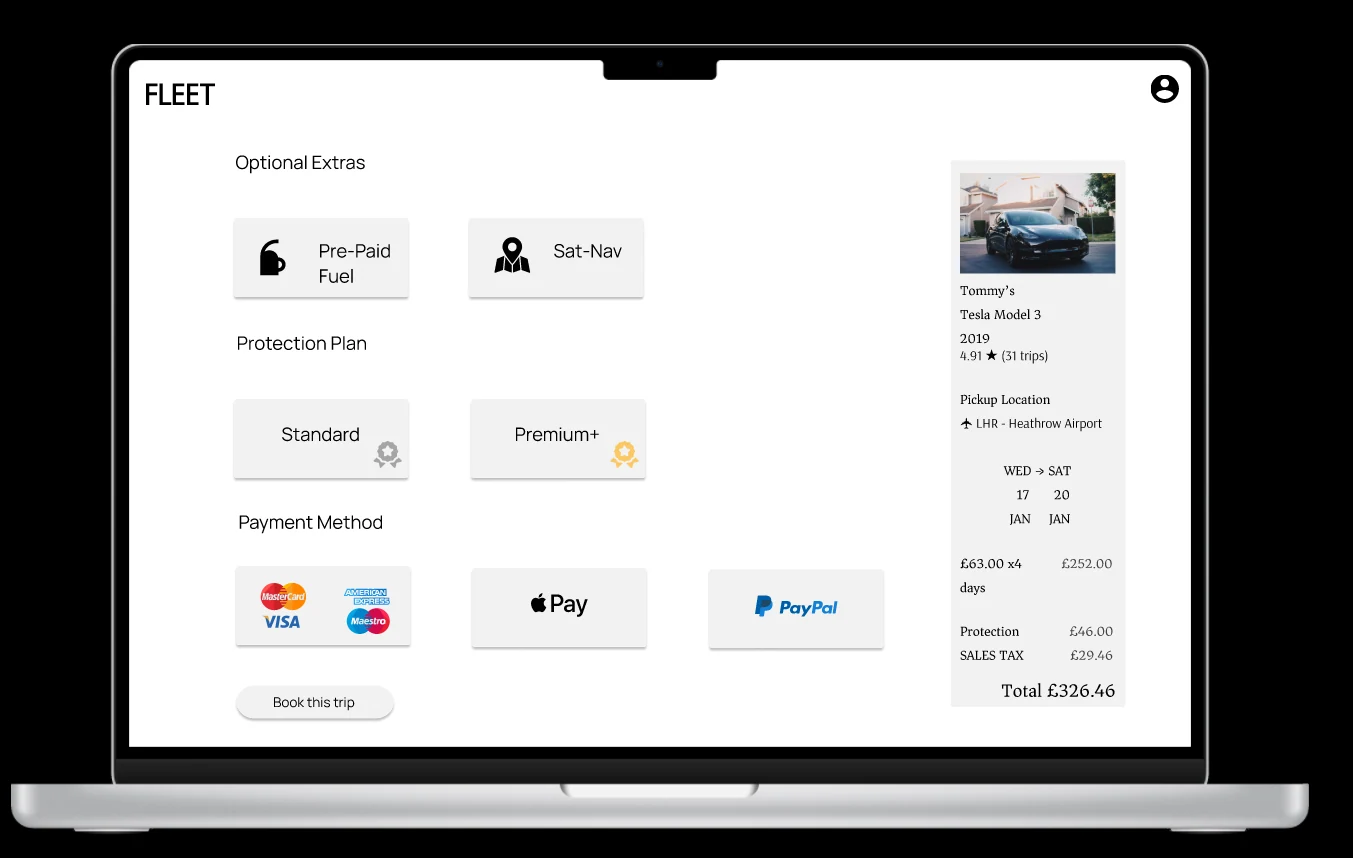
I designed a vehicle-detail screen for the selected car and a checkout screen grouping extras, protection and payment beside a booking summary. These screens form the course prototype. Further usability testing would be needed to assess how well they address the research findings.
View supporting material (2)
05 · Reflection
Gaps in the prototype and next steps
The most useful lesson came from reviewing the finished work. I had spent considerable time on research and analysis, but did not carry all of those findings through clearly enough into the final prototype.
The price presentation is a concrete example. Research identified uncertainty about fees, yet my results cards still show a total excluding tax and fees. The checkout provides a breakdown later, but that does not resolve the earlier comparison problem.
My next iteration would show the total booking cost earlier, make required vehicle features easier to compare, and check that list and map views preserve the same search context. I would then ask participants to find a suitable car and explain its full cost before booking. Those are proposed changes and tests; I have not yet validated a revised design.
Original course prototype. Opens Figma in a new tab.
Original sketch document. Opens a PDF in Google Drive.